
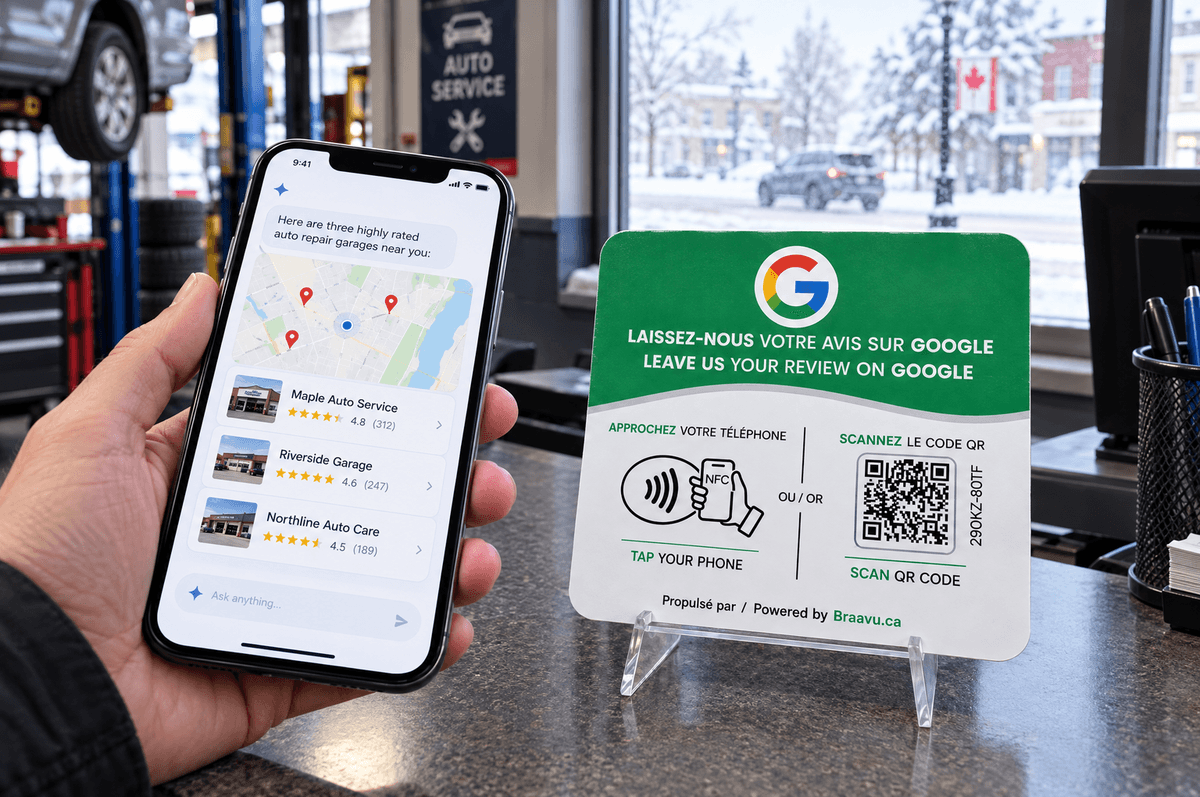
To show up in Gemini, you first need to show up well in Google Maps. Google's AI draws on the same data as local search: your Google Business Profile, your reviews, your photos and your website. The good news: it's ground you already know. The less good news: a neglected profile now costs you twice.
Google's four AI entry points
Google doesn't offer one tool but several, drawing on the same base:
- AI Overviews: the summary shown at the top of some Google searches.
- AI Mode: a conversational search tab where you can ask follow-up questions.
- The Gemini app: Google's assistant, on phone and desktop.
- Ask Maps: Gemini inside Google Maps, for questions like "a public tennis court with lights on that I can play at tonight." Launched in the US and India in March 2026, it reached Canada in August 2026, without the features that act for the user (ordering, booking). Sources: Google, MobileSyrup.
Google says Ask Maps analyzes information from over 300 million places and reviews from more than 500 million contributors. In other words: your profile and your reviews are the raw material.
What Google asks for (and doesn't)
For its AI features, Google is explicit: there are "no additional requirements" to appear in AI Overviews or AI Mode. No special file, no special markup. The usual best practices apply, including an up-to-date Business Profile and pages whose important content is in text. Source: Google Search Central.
For local ranking, Google names three factors: relevance, distance and prominence. Reviews feed prominence: "More reviews and positive ratings can help your business's local ranking." Source: Google Business Profile Help.
The Gemini checklist
Your Google Business Profile
- The right primary category. It decides which questions you're relevant for. "Auto repair shop," not "Business."
- Secondary categories and services. Gemini answers specific questions ("winter tire changeover on Saturday"). If the service isn't written down anywhere, it can't recommend you for it.
- Accurate hours, holidays included. "Open now" is a common question.
- Attributes: accessibility, parking, payment, patio, service in French.
- Recent photos of the outside, the inside and what you sell.
- A clear description of what you do and for whom.
Full guide: optimize your Google Business Profile.
Your reviews
Gemini summarizes what customers say. The more numerous, recent and specific your reviews, the more it has to write "known for fast service" instead of skipping you. And the rating is still the first thing customers compare.
Replies to reviews: Google says helpful replies help you stand out. Templates: how to respond to Google reviews.
Your website
Google asks that important content be in text and that crawling be allowed, including by your host or CDN. One page per service, your city spelled out, hours and prices readable.
Consistency
Same name, same address, same phone on your profile, your website and directories. An address that differs from one source to another creates doubt.
A word on Gemini for owners
Google also announced in 2026 that owners can connect their Business Profile to Gemini to track performance and draft review replies (Whitespark). That's a management tool. It doesn't change how Gemini picks the businesses it recommends.
Where Braavu fits
For Google's tools, Google reviews aren't one signal among many: they're Google's own data. A steady flow of recent reviews shows up directly in Maps, AI Mode and Gemini.
Braavu sells an NFC and QR counter plate. The customer taps a phone, or scans the code, and the page to write a Google review opens. That address is built from the Google listing you chose: no other link can be pasted in. From the dashboard, you change the listing for a location, and every active plate at that location follows, without a reprint. The plate does not open Instagram, Facebook, TikTok, WhatsApp, a menu or a link-in-bio.
Bottom line: Gemini, AI Mode and Ask Maps read Google Maps. A complete profile, services spelled out and recent reviews are the shortest path to showing up there.